


























Export LinkedIn contacts to
Excel & CSV in one click

Download LinkedIn connections, leads, and company employee lists to Excel or CSV in seconds.
Works right on LinkedIn, Sales Navigator, and XING profile pages.
It’s free to start and it takes 20 sec
5.0 on the Chrome Web Store  ·  400+ users  ·  20 free export credits
image
crm crm crm crm crm crm crm crm crm crm

Start with 3 easy steps

easy1

Install LinkMatch from Chrome Web Store

Step 1
easy1

Login
with your email

Step 2
easy1

Export contacts & connections to Excel in 1 click

Step 3

Features

Seamless

  • Instantly see which LinkedIn profiles are already exported
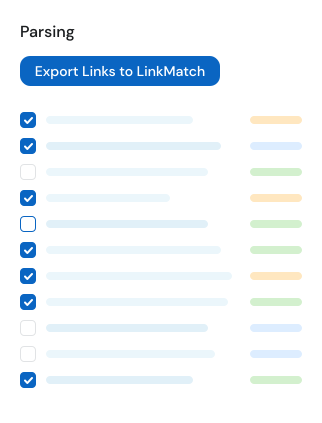
  • Keep track of the parsing process on the dashboard
lay1
lay2
lay2
lay1
lay2

Export

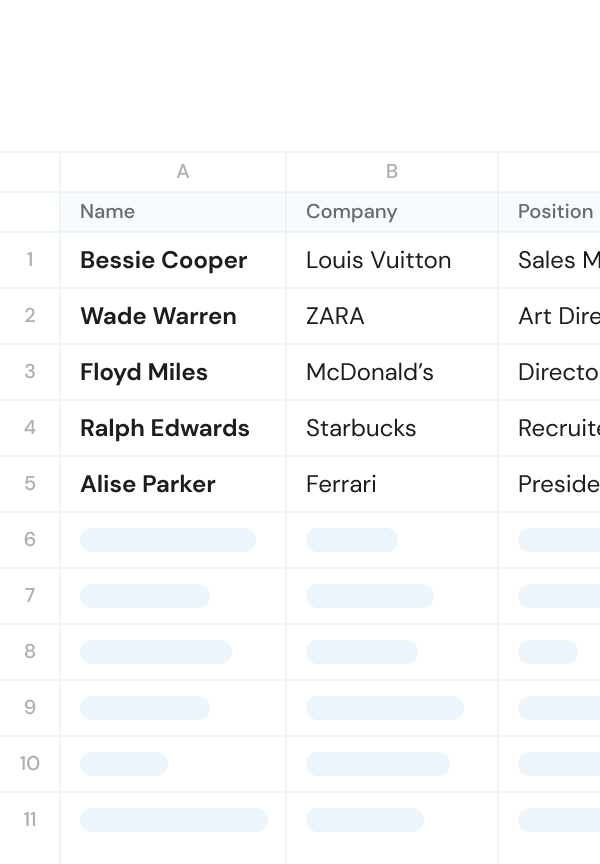
  • Export all visible data - including Background Experience, Education and Skills
  • Start/Stop the parsing process at your convenience. You can start the parsing before having lunch for example
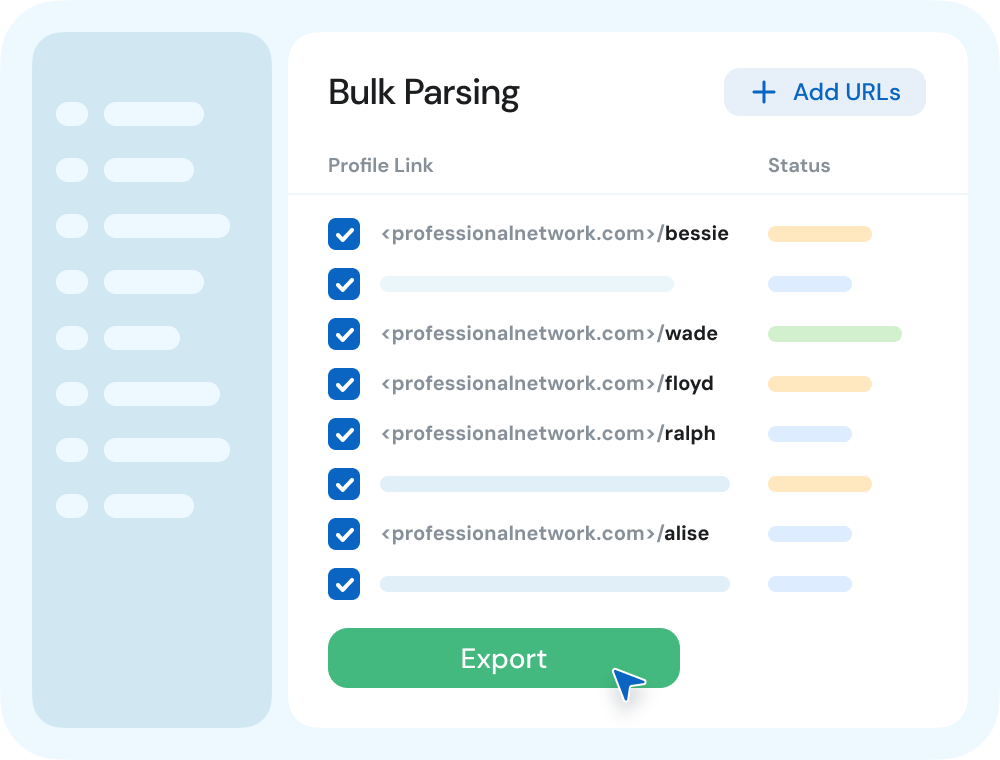
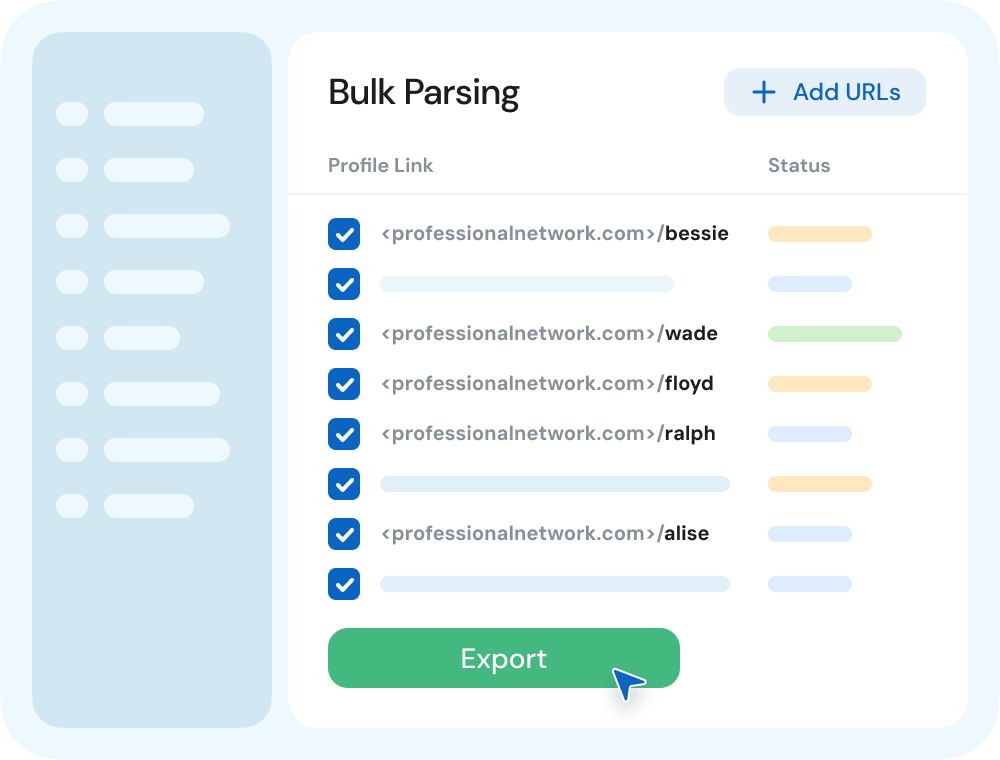
  • If you have a list of profile links, you can add them in bulk to the parsing queue
chr Start Export to CSV

Comprehensive UX

  • Handy dashboard for frictionless experience working with your profiles
  • One profile per click or add a bunch into parsing queue
  • Export in Excel or CSV format
  • Parsing credits never expire
chr Try Possibilities
lay1
... and even more
img1

On the Fly Profile

We display up to three fields of additional info without opening the profile page
img1

Customer dashboard

Manage your team, subscriptions, settings and analytics in one place.
img1

Unique LinkedIn Data

Know when your client's birthday is or how many people are following him.

How many new deals can you get
by using LinkMatch
for business socials and CSV/Excel integration?

1 month
duration in months
1
24
5 seats
number of seats
5
30
60
new
closed
deals
Get deals right now!
2 hours per day x 10+ leads per hour x 10% conversion rate x 1 months x 5 seats

Pricing

Accounts with 20+ paid users are eligible for a free 45 min onboarding call.
Reach out to us to book one.
Price Per Saved Profile
€ 10 for 100 profiles
Features
  • 100 profiles for 10€
  • 1000 profiles for 75€
  • Contact us if you need more
Price Per Saved Profile
€ 35.97 user/quarter
Features
  • 1000 profiles for 75€ (save 25%)
  • 5000 profiles for 329€ (save 34%)
  • Contact us if you need more
Price Per Saved Profile
€ 10 for 100 credits
20 free trial credits
Features
  • 1000 profiles for 75€ (save 25%)
  • 5000 profiles for 329€ (save 34%)
  • Instantly save a profile into CSV or Excel file with one click
  • Paste a bunch of LinkedIn profile links and have them all saved for you

Supported CRMs

crm crm crm crm crm crm crm crm crm crm

Don't see your CRM in the list?
Let us know at [email protected]

LinkedIn CSV Export FAQ

How do I export LinkedIn connections and contacts to Excel or CSV?

Install the LinkMatch for CSV & Excel Chrome extension. Open any LinkedIn profile, click the LinkMatch export icon, and select the contact data you want to save. Your contacts are saved instantly and can be downloaded as an Excel spreadsheet (.xlsx) or CSV file in one click.

Can I export my LinkedIn connections to Excel?

Yes. With LinkMatch for CSV & Excel, you can export your LinkedIn connections directly into an Excel spreadsheet (.xlsx) or CSV file with one click. LinkMatch captures full names, verified business emails, phone numbers, job titles, company names, locations, and profile URLs without requiring manual copy-pasting.

Can you export a LinkedIn search to Excel in bulk?

Yes. LinkMatch allows you to queue multiple profiles directly from LinkedIn search result pages, Sales Navigator lead lists, or company employee directories and export them simultaneously into an Excel or CSV file.

Can I export contacts from LinkedIn to Excel without getting my account restricted?

Yes. Unlike aggressive web scrapers or cloud automation bots that trigger LinkedIn rate limits and security flags, LinkMatch operates within your active browser session as an interactive extension. It mimics natural browsing and exports verified contact data safely without putting your LinkedIn account at risk.

Can LinkMatch export LinkedIn company pages and employee lists to Excel?

Yes. LinkMatch allows you to view and export profile details from company employee lists, LinkedIn search result pages, and standard profiles directly to CSV or Excel format.

Does LinkMatch find verified work emails and phone numbers for exported contacts?

Yes. When available on the profile or via verified enrichment, LinkMatch captures verified email addresses and phone numbers alongside job titles, company names, location, and LinkedIn profile URLs.

Can I customize which fields are included in the exported CSV or Excel file?

Yes. You can customize field mappings in your LinkMatch options to include first name, last name, email, phone number, company name, job title, industry, location, website, and custom notes.

Is the exported CSV or Excel file compatible with CRMs like HubSpot, Pipedrive, or Salesforce?

Yes. The exported CSV and Excel files follow standardized formatting that can be imported directly into HubSpot, Pipedrive, Salesforce, Zoho, Close, or any spreadsheet software like Microsoft Excel, Google Sheets, or Apple Numbers.

Where can I find the LinkMatch options page?

You can click on the LinkMatch icon in the upper right corner of your Chrome browser, or go to Chrome Extensions, find LinkMatch for CSV & Excel, click Details, and select Extension Options.

How many free exports do I get with the trial?

Every new user receives 20 free profile export credits upon installing the extension. You can test full data extraction, verified email discovery, and Excel export with zero commitment and no credit card required.
ph1
Alison Parker
done done
Developer at Apple
ph5
Peter Black
done done
HR Director

Ready to enjoy
the ultimate
CSV & Excel-LinkedIn
integration?