

Key Takeaways
- LinkedIn Recruiter is LinkedIn's paid sourcing platform. Recruiters use it to search, contact, and track candidates across LinkedIn's member network.
- Recruiter Lite fits solo or occasional hirers. The full Recruiter tier adds deeper filters, team collaboration, and pipeline features.
- The real value comes from how you use it: strong search strings, personalized InMail, and organized projects beat buying more seats.
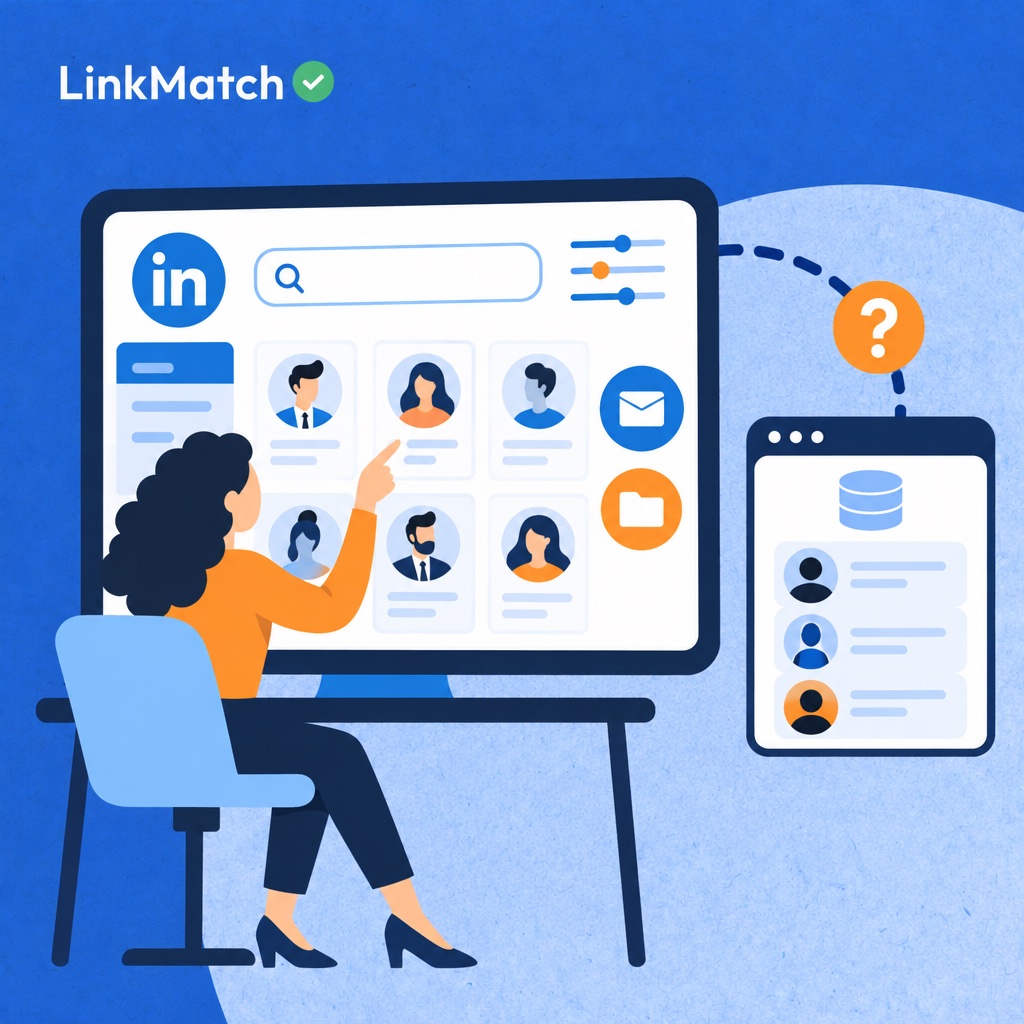
- LinkedIn Recruiter is not an ATS. Candidate data still has to reach your system of record, or it goes stale and gets duplicated.
- AI features and automation save time, but they need human review and compliance guardrails to protect candidate trust.
LinkedIn Recruiter, defined in plain terms
LinkedIn Recruiter is a paid sourcing platform built on LinkedIn's professional network, giving recruiters advanced search, candidate filtering, and messaging tools to find, reach, and track passive talent at scale. A regular LinkedIn account is built for networking and job hunting, so it caps search depth and limits who you can contact. Recruiter removes those limits, which is why hiring teams pay for it. According to LinkedIn's Recruiter Help documentation, the product bundles search filters, saved projects, pipeline views, and InMail outreach in one workspace. The problem it solves is simple: great candidates rarely apply, and finding them by hand is slow.
The differences from a standard account are practical. You get far more filters, such as skills, seniority, and years of experience. You can message people outside your network, and you can organize prospects into shared talent pools with teammates.
In a hiring workflow, Recruiter sits at the front. It handles sourcing and engagement, meaning finding people and starting conversations. Managing applicants, scheduling interviews, and extending offers usually happen in a separate applicant tracking system. LinkedIn's hiring solutions page positions it alongside job posts as part of a wider toolkit.
Free LinkedIn vs. Recruiter Lite vs. Recruiter: what changes
Moving from free LinkedIn to Recruiter Lite to full Recruiter adds deeper search filters, InMail messaging to non-connections, structured candidate projects, team collaboration, and native ATS connectivity, with each tier suiting a different hiring volume. A standard free account suits casual networking and job posts, since it offers basic search filters, saved profiles only, no collaboration tools, and no way to message people outside your network without a connection or a paid upgrade, which quickly limits any serious sourcing effort. Recruiter Lite suits solo recruiters and founders hiring occasionally, adding expanded filters, included InMail credits, and basic projects, while full Recruiter serves in-house teams and agencies hiring continuously with the complete filter set, shared projects, pipeline stages, seat administration, and ATS integrations; the table below compares each capability, and LinkedIn's official hiring pages list current pricing and credit allowances.
| Capability | Free LinkedIn | Recruiter Lite | Recruiter |
|---|---|---|---|
| Search filters | Basic | Expanded advanced filters | Full advanced filter set plus spotlights |
| Messaging non-connections | Limited | InMail credits included | Larger InMail allowance managed at team level |
| Candidate organization | Saved profiles only | Basic projects and saved searches | Full projects, pipeline stages, and notes |
| Team collaboration | None | Single user | Shared projects, team notes, and seat administration |
| ATS connectivity | None | None | Native integrations with supported ATS platforms |
| Best for | Casual networking and job posts | Solo recruiters and founders hiring occasionally | In-house teams and agencies hiring continuously |
Feature sets change over time, so check the LinkedIn Recruiter Help page before committing to a tier.
The core features and how to get real value from them
Getting real value from LinkedIn Recruiter comes from building a few disciplined habits around its core features: precise Boolean searches, personalized InMail, tidy project pipelines, and AI-assisted search that you verify yourself. Recruiter bundles advanced search filters, InMail, projects, and saved-search alerts into one workspace, yet two teams with identical licenses often see very different response rates, because one treats each tool as a one-off task while the other builds repeatable routines that compound over weeks of sourcing. The sections below pair each core feature with one practical, easily repeatable, measurable habit you can adopt this week, so you can tighten your daily searches, raise reply rates, keep candidate records clean across every open role, and treat AI suggestions as a starting shortlist rather than a finished answer, which is what separates busy recruiters from genuinely effective ones.
Advanced search and Boolean strings
Group synonyms in parentheses, such as (developer OR engineer), and exclude noise with NOT. Then save the search and turn on alerts so new matches come to you.
InMail: personalizing outreach at scale
Build templates with separate fields for name, company, and role. Add one hand-written line about the candidate's work before sending.
Projects, pipelines, and saved searches
Move candidates between stages the same day you talk to them. Stale pipelines hide your best leads, as reviewers on Capterra often note about tool overload.
Hiring Assistant and AI-assisted search
Let the AI draft the first candidate list. Then check each profile against your must-have criteria before outreach.
Sourcing beyond the filters: X-ray search, events, and groups
Sourcing beyond Recruiter's filters means reaching passive candidates through external search, event attendance, community activity, and engagement signals that structured profile fields never match. Passive talent often hides outside standard filter results because many strong practitioners keep sparse profiles, skip job-seeker keywords, or never update their titles. Filters only match what people have typed into their profiles. Behavior tells you far more. Someone who speaks at a niche session or answers hard questions in a community is showing real expertise, even if their headline says nothing useful. These tactics, which pin.com also covers in its sourcing guidance, add a second discovery layer on top of Recruiter's search.
- Google X-ray search: build strings that target LinkedIn profiles by title, skill, and location, such as site:linkedin.com/in plus quoted role terms.
- LinkedIn Events let you review attendees and speakers in niche-topic sessions, where interest in your domain is already proven.
- Groups and communities reward a closer look: spot active contributors who answer questions, not just members who joined once.
- Article and post engagement: find practitioners who comment thoughtfully in your domain, then read their profiles before reaching out.
- Alumni and former-employee searches surface shared connections, which makes warm introductions far easier than cold messages.
Where LinkedIn Recruiter stops: the ATS and CRM handoff
LinkedIn Recruiter is a sourcing and outreach tool, not a system of record, so candidate data must move into an ATS or CRM to become searchable, shared and compliant. Everything a recruiter learns in LinkedIn, from saved profiles to InMail replies, stays inside one licence and one person's workflow unless it is deliberately synced. Pipeline stages, notes and project folders look organised, but they are invisible to hiring managers and to colleagues without seats. The result is a quiet decay: the same candidate gets contacted twice, notes vanish when a recruiter leaves, and nobody can see the full history. Sourcing ends where your system of record begins, and the handoff is where most teams lose data. LinkedIn also documents which Recruiter features are available by tier, so check your plan before you design the workflow.
Common data gaps between LinkedIn and your ATS
Duplicates are the first problem. A profile saved in LinkedIn and a résumé uploaded to the ATS rarely match automatically. Contact details go stale as people change jobs, and LinkedIn notes never reach the ATS timeline.
Native integrations vs. third-party connectors
Native ATS integrations are available on the full Recruiter tier and sync key candidate actions between systems.
Lighter tiers usually have no such link, which is where connectors come in. As Leonar's workflow tool overview explains, third-party tools bridge that gap. In practice, tools like LinkMatch check whether a profile already exists in Greenhouse, Zoho Recruit, CATS or PCRecruiter and add new candidates in one click.
AI and automation in LinkedIn Recruiter: useful, and with guardrails
AI in LinkedIn Recruiter works best when it automates repetitive tasks such as search suggestions, profile summaries and outreach drafting, while recruiters keep control of judgment calls, compliance with LinkedIn's terms, candidate privacy and every final message. Search suggestions widen your Boolean strings, summaries cut the time spent skimming long profiles, and drafts give a blank message its first shape. Speed is the benefit. The risk is volume without judgment: scraping and bulk-messaging tools can breach LinkedIn's terms, a trade-off that roundups such as herohunt.ai weigh when comparing automation options. Privacy law adds a second layer, since GDPR, CCPA and similar rules in your target markets govern how candidate data is collected, stored and reused. AI-ranked shortlists also inherit bias from their training data, so a person must check who the ranking quietly leaves out. Automation prepares the work; recruiters make the decisions.
- Use AI drafts as a starting point, and edit every message before it is sent.
- Avoid tools that scrape or bulk-message in ways that break LinkedIn's terms.
- Store candidate data only in systems with clear retention and consent rules.
- Audit AI-ranked shortlists for skewed or exclusionary patterns.
Which teams get the most from it, by size and hiring model
The right LinkedIn recruiting tier depends on hiring volume and team structure: solo recruiters suit Recruiter Lite, agencies and mid-size teams need full Recruiter with shared projects, and enterprises layer Recruiter onto an integrated HR tech stack. Volume matters less than the shape of your hiring: a founder filling three roles a year gains little from enterprise seats, while an agency running dozens of client searches needs shared pipelines, ATS connectivity and duplicate control to keep recruiters from contacting the same candidate twice. Each setup also carries its own failure mode, as the table shows, so match your team type to the tier and then plan around the specific risk, whether that is manual data entry, inconsistent pipeline stages, wasted InMail credits or filters that overlook non-standard profiles, as workflow guidance from leonar.app also notes.
| Team type | Typical hiring need | Best-fit LinkedIn option | Watch out for |
|---|---|---|---|
| Startup founder or solo recruiter | A few roles per year, hands-on sourcing | Recruiter Lite | Manual copying of profiles into a spreadsheet or ATS |
| Recruitment and staffing agency | High volume across many clients | Recruiter with ATS connectivity | Duplicate candidates across recruiters and clients |
| Mid-size in-house TA team | Steady hiring across several departments | Recruiter with shared projects | Inconsistent notes and pipeline stages between team members |
| Enterprise TA function | Continuous, multi-region hiring | Recruiter plus integrated HR tech stack | Seat sprawl and unused InMail credits |
| Tech and niche-skill hiring | Scarce, mostly passive talent | Recruiter plus X-ray and community sourcing | Over-reliance on filters that miss non-standard profiles |
Is it worth the cost? Weighing LinkedIn Recruiter against alternatives
LinkedIn Recruiter is worth its price only when the hires it produces outweigh the seat fee, so teams should compare cost per hire, not cost per seat, against cheaper sourcing alternatives and lighter setups. Start by dividing the annual seat cost by the placements that trace back to LinkedIn sourcing, then check whether InMail credits are used up each cycle or quietly expire, and whether the platform duplicates tools you already pay for, such as a sourcing database or outreach sequencer. Alternatives range from dedicated sourcing platforms, which Findem's 2026 roundup compares, to a lighter setup where a lower LinkedIn tier feeds a connector. In practice, tools like LinkMatch sync profile data into supported ATS and CRM platforms or export it to CSV/Excel, which removes manual data entry without a heavier stack, while Capterra reviews show how other teams rate the full seat.
Run this checklist before you renew:
- How many hires per quarter come from LinkedIn sourcing?
- Are InMail credits actually used up each cycle?
- Does candidate data reliably reach your ATS today?
- Could a lighter tier plus an additional cover the same workflow?
FAQs about what is linkedin recruiter
Is LinkedIn Recruiter free?
No. LinkedIn Recruiter is a paid subscription, and pricing is typically quoted per seat on an annual contract. Whether you can try it first depends on the tier. Recruiter Lite has sometimes offered a free trial, while the full Recruiter product is usually sold through LinkedIn's sales team, often with a demo instead of a self-serve trial. Offers change, so confirm current pricing and trial availability with LinkedIn before you commit.
What is the difference between LinkedIn Recruiter and Recruiter Lite?
The main differences are filter depth, team collaboration, and ATS integrations. Recruiter Lite is built for individual users. It has fewer search filters, lower messaging limits, and limited ways to share projects. The full Recruiter tier adds more advanced filters, shared talent pipelines and projects, stronger team workflows, and deeper reporting. It also adds native integrations with applicant tracking systems. If you work alone and hire occasionally, Lite is often enough. Larger or multi-recruiter teams usually need the full product.
Does LinkedIn Recruiter integrate with an ATS?
Yes, but it depends on the tier. The full LinkedIn Recruiter tier offers native integrations with many major applicant tracking systems. These can sync candidate activity, avoid duplicate records, and keep pipeline data consistent. Recruiter Lite does not generally include these native integrations. Teams on Lite can sometimes use third-party connectors or browser extensions to move candidate data into an ATS, though these are less secure. Check your ATS vendor's supported integrations list before you buy.
Can candidates see when a recruiter views their profile in LinkedIn Recruiter?
It depends on the privacy settings. Profile views made through Recruiter are generally shown to the candidate in an anonymized form, such as "a recruiter at a company in your industry, " instead of the recruiter's name. Candidates can also choose their own viewing options, and a recruiter's settings can affect what is visible. LinkedIn updates its privacy controls from time to time, so check the current settings before you assume a view is invisible.
Is LinkedIn Recruiter worth it for small businesses?
It depends on your hiring volume. If you hire only a few times a year, the cost of a full Recruiter license is hard to justify, and a job post or direct outreach may be cheaper. If you hire often, or for roles that are hard to fill, sourcing directly can pay off. For most small businesses, Recruiter Lite is the sensible entry point. It gives access to search and messaging at a lower cost, and you can upgrade if your hiring needs grow.
Common mistakes recruiters make with LinkedIn Recruiter
- Treating LinkedIn Recruiter as an ATS: Notes and pipeline stages stuck inside LinkedIn leave hiring managers and teammates without the full candidate history in the system of record.
- Relying only on default search filters: Filters miss candidates with unconventional titles or sparse profiles. Boolean strings, X-ray search, and community sourcing surface them.
- Sending template InMails with no personalization: Generic messages waste limited InMail credits. A specific detail from the candidate's profile or activity earns far more replies.
- Buying seats before fixing the workflow: Extra licenses don't solve duplicate records or manual copy-pasting. Fix the data handoff first, then scale seats.
- Automating outreach without compliance checks: Aggressive automation can break LinkedIn's terms and privacy rules, putting accounts and employer reputation at risk.
Sources
Stop copy-pasting LinkedIn profiles into your ATS
LinkMatch shows instantly whether a LinkedIn or XING profile is already in your ATS or CRM. It adds new candidates in one click and keeps records synced as profiles change. It works with Greenhouse, Zoho Recruit, CATS, PCRecruiter, and more. Setup takes 20 seconds, with no credit card required.
Start Your Free Trial