

Key Takeaways
- LinkedIn's native products handle search and InMail well, but they don't keep your ATS current without extra help.
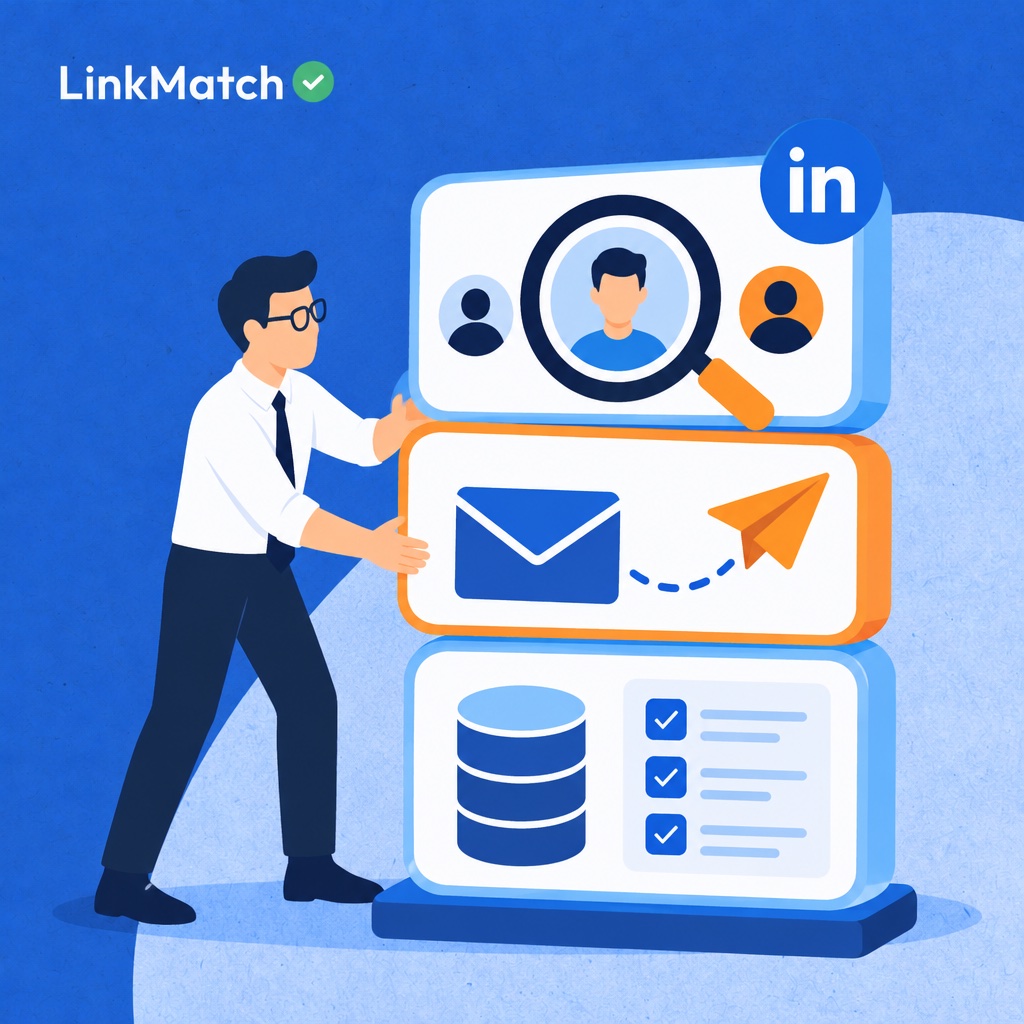
- Most recruiting teams need tools from three layers: sourcing, outreach, and system of record (ATS/CRM sync).
- Duplicate and outdated candidate records come from manual copy-paste, and a profile-to-ATS sync layer removes that step.
- Automation that ignores LinkedIn's User Agreement or privacy rules like GDPR puts both accounts and employer brand at risk.
- The right stack depends on team size, hiring volume, and which ATS you already run, not on which tool has the longest feature list.
What Counts as a LinkedIn Recruiter Tool in 2026
A LinkedIn recruiter tool is any software that helps you find, source, contact, track, or evaluate candidates using LinkedIn data, whether it's a first-party offering or a third-party solution. Most teams treat it as a single product, but I recommend thinking in layers. LinkedIn's own hiring products form the foundation: job postings, profile searches, and InMail. From there, smart teams build out with additional tools to fill knowledge gaps. Don't be surprised if no single tool covers everything. Understanding the stack helps you identify blind spots, avoid duplicating effort, and stay aligned with data compliance standards.
Most recruiting stacks rely on five key layers:
- Native LinkedIn tools: Jobs, Recruiter Lite, and full Recruiter access, which offer search capabilities, InMail, and job postings.
- Sourcing platforms expand your reach beyond LinkedIn's network and help fill in incomplete or outdated candidate profiles.
- Outreach and automation tools manage follow-ups at scale and enable personalized messaging.
- Browser extensions simplify the connection between LinkedIn profiles and your CRM or ATS in a single click.
- Pipeline analytics platforms: map the candidate journey and show which channels drive conversions.
Articles like this breakdown from Leonar take a similarly layered approach. In the next section, we'll start by exploring what LinkedIn offers natively.
LinkedIn's Native Hiring Products: Jobs, Recruiter Lite, and Recruiter
Choosing between LinkedIn's hiring tiers means finding the best fit for your needs. The difference between Jobs, Recruiter Lite, and Recruiter lies in search depth and team collaboration. Jobs is ideal for hiring managers posting individual roles, while Recruiter Lite works well for solo recruiters, and Recruiter is designed for teams managing shared pipelines. LinkedIn's help documentation breaks down the full Recruiter feature set, and the company's hiring page offers more details on the full product lineup.
To determine the best fit, start by identifying who will actually use the tool regularly. Consider how many roles they need to fill at once, and think about whether multiple people need access to the same candidates.
| Product | Best for | Search & filters | Outreach | Team collaboration | ATS connectivity |
|---|---|---|---|---|---|
| LinkedIn Jobs / Hiring Assistant | Hiring managers and non-recruiters | Applicant-focused | Limited | Basic | Limited |
| Recruiter Lite | Solo recruiters, small agencies | Expanded filters | Monthly InMail allowance | Minimal | Not designed for deep ATS sync |
| LinkedIn Recruiter | In-house TA teams, larger agencies | Advanced and AI-assisted search | Higher InMail allowance, templates | Projects, shared pipelines | Supported with select ATS partners |
When Recruiter Lite is enough
Recruiter Lite is perfect for individuals managing their hiring process independently, with complete control over sourcing, outreach, and follow-up.
The feature set delivers solid results for handling a small volume of open roles, and since collaboration is limited, there's no need for multiple users to access the same pipeline.
What full Recruiter adds for teams
Full Recruiter is designed for larger teams working together to fill positions.
Key benefits include organized projects and shared pipelines to track communications, higher InMail limits to speed up outreach, and built-in integration with select ATS providers to streamline workflows.
Before upgrading, identify the root cause of slow performance. If it's a result of duplicate outreach or lack of visibility across your team, Recruiter can help. If it's manual data entry or outdated candidate information, a more advanced tool won't be enough.
Capterra's product listing for LinkedIn Recruiter is a useful resource to explore real user reviews before committing to a purchase.
Where Native LinkedIn Tools Fall Short for Busy Recruiters
The biggest gap in native LinkedIn tools is the lack of seamless communication between your applicant tracking system (ATS) and LinkedIn, resulting in wasted time on manual copy-paste, duplicate checks, stale profiles, and InMail limitations. LinkedIn Recruiter excels at discovering candidates, but falls short in tracking them end-to-end, treating each profile as an isolated entity with no connection to your existing database. As a result, recruiters may unknowingly contact a candidate who was previously reached out to by a colleague, without any warning. According to reviews on Capterra, integrations and workflow are major pain points, and Leonar's workflow analysis highlights the same disconnect: the search happens on LinkedIn, but follow-up, reporting, and record-keeping occur elsewhere, forcing manual data transfer and time-consuming candidate tracking.
Duplicate checks
Native platforms treat every profile as new, even if the candidate is already part of your pipeline. What your team needs is a clear visual indicator that the candidate is already in the ATS, so no duplicate messages are sent. In practice, tools like LinkMatch solve this issue by showing profile matches directly on LinkedIn or XING, filling the gap at the point of contact.
Copy-paste and stale records
LinkedIn profiles remain static until a user manually reenters the information. What your team requires is an automated update of candidate information into the system of record, synced with any changes to the profile. Without this feature, fields get misconfigured and records sit outdated.
InMail caps
LinkedIn limits recruiters to a fixed monthly InMail quota, compelling them to carefully manage every message. What your team needs is flexible follow-up capacity that's not dependent on a fixed credit pool.
Each of these gaps points to a core issue. Only when an add-on tool addresses one of these needs can it prove its value.
The Five Categories of Third-Party LinkedIn Recruiting Tools
Third-party LinkedIn recruiting tools fall into five distinct categories: talent intelligence platforms, outreach and sequencing tools, profile-to-ATS extensions, recruiting workspaces, and contact enrichment add-ons. Each category addresses a specific stage of the hiring process that LinkedIn alone cannot fulfill. Sourcing platforms expand your search beyond LinkedIn's boundaries, while outreach tools help manage follow-ups that InMail's limitations restrict. Profile extensions seamlessly transfer information into your existing CRM, giving you a consolidated view. Recruiting workspaces track your pipeline's progress in one convenient location. Contact enrichment tools provide long-sought details like email addresses and phone numbers that LinkedIn profiles often conceal.
Most teams only need one of these solutions to address a specific gap in their current setup. Before evaluating vendors, it's essential to determine if your existing CRM or subscriptions already offer similar functionality. Overlapping features are a common cause of wasted spend in a recruiting tech stack, and vendors rarely highlight these duplications.
| Category | Primary job | Example tools | Fills which native gap |
|---|---|---|---|
| Talent intelligence / sourcing platforms | Find candidates beyond LinkedIn search | Findem, SeekOut, hireEZ | Broader reach, enriched profiles |
| Outreach and sequencing | Run multi-step, personalized campaigns | Gem and similar automation tools | InMail limits, follow-up cadence |
| Profile-to-ATS/CRM extensions | Sync profiles, notes, and activity into the system of record | Browser-based ATS connectors | Manual data entry, duplicates |
| Recruiting workspaces / pipeline tools | Organize projects and stages | Leonar, Loxo | Pipeline visibility |
| Contact enrichment | Find verified emails and phone numbers | Enrichment add-ons | Off-LinkedIn contact channels |
Sourcing platforms vs. LinkedIn Recruiter
LinkedIn Recruiter searches one network. Platforms such as Findem, SeekOut and hireEZ draw on public web data, which helps when a LinkedIn profile is sparse or out of date, and Findem's guide to LinkedIn Recruiter alternatives shows how they compare. Treat them as a way to widen the pool, not a replacement for LinkedIn search.
Outreach tools and InMail limits
InMail comes with a monthly allowance, so one unanswered message often ends the conversation. Sequencing tools such as Gem send multi-step follow-ups across channels, and HeroHunt's roundup of LinkedIn automation tools covers the main options.
Automation saves hours, but aggressive sending can put your LinkedIn account at risk, so review each tool's compliance settings first.
Extensions that connect LinkedIn to your ATS
Browser-based connectors link a profile, your notes and later activity into your ATS or CRM in one click. Look for duplicate flagging before you reach out, and for updates to existing records rather than new ones. Pipeline tools like Leonar and Loxo then organize those records into projects and stages, a layer Leonar's workflow guide explains in more detail.
Advanced Sourcing Techniques That Work Alongside Any Tool
Advanced sourcing techniques such as Boolean strings, Google X-Ray searches, event attendee lists, and group mining surface candidates that standard LinkedIn filters miss, because passive talent rarely sets job-seeker flags or completes profiles. These methods sit on top of LinkedIn Recruiter, Recruiter Lite, or a free account, so they add reach without adding another license, which matters when every subscription must justify itself against real hiring results. Sourcing guides like pin.com's LinkedIn sourcing tips cover related ideas, but treat each technique below as a test on one live requisition, log the source of every reply in your ATS, and keep only the methods that start conversations with qualified people.
- Boolean strings: group title synonyms and exclude noise, for example ("data engineer" OR "analytics engineer") AND (Snowflake OR dbt) NOT (intern OR student).
- Google X-Ray search: type site:linkedin.com/in "data engineer" Snowflake Berlin into Google to find profiles by role, skill, and location.
- Event attendee and speaker lists on LinkedIn Events show who cares about your target skill right now.
- Group members and commenters: people who answer questions in niche communities usually know the topic well.
- Authors of LinkedIn articles on your target skill have already shown depth, so open with a specific comment on their piece.
- Ex-employees of competitors are worth searching after reorgs, since teams often reshuffle and people reconsider their options.
Google X-Ray search templates
X-Ray searches use Google's index instead of LinkedIn's filters, so they catch profiles that internal search ranks poorly. Start with site:linkedin.com/in plus a quoted title, one or two skills in parentheses, and a city. Check LinkedIn's terms of use before running these at volume, and never scrape.
Passive sourcing through groups, articles, and live events
Passive candidates reveal themselves through behavior, not job-seeker settings. Look at who posts regularly, who comments with substance, and who spoke at an event.
A generic InMail gets ignored; a message that references their post gets read.
Connecting LinkedIn to Your ATS Without Copy-Paste
Connect LinkedIn to your ATS by using either a native Recruiter System Connect integration or a browser extension that syncs profile fields, notes, messages and tags, so records stay current without manual copy-paste. Native integration is admin-led and depends on your contract and ATS partner. It requires full Recruiter, so it leaves Recruiter Lite and free-account users out. Extensions work on any plan and take minutes to set up. Either way, the goal is identical: one record per candidate, updated automatically. Common ATS targets include Greenhouse, Zoho Recruit, CATS and PCRecruiter. LinkedIn documents what its Recruiter features cover, and workflow roundups such as Leonar's show how teams fill the gaps. Manual copy-paste remains the costliest option at any real volume. Pick the path by plan, volume and ATS, then check duplicate handling first.
| Integration approach | Setup effort | Works with Recruiter Lite/free LinkedIn | Data synced | Best for |
|---|---|---|---|---|
| Native LinkedIn Recruiter ATS partner integration | Admin-led, contract-dependent | No | Profile, InMail history (varies by ATS) | Enterprise teams on full Recruiter |
| Browser extension sync (e.g., LinkMatch) | Minutes, self-serve | Yes | Profile fields, notes, tags, email; conversations on the Professional plan | Agencies and in-house teams on any LinkedIn plan |
| Manual copy-paste / CSV import | None upfront, high ongoing | Yes | Whatever gets typed | Very low volume only |
- Audit which LinkedIn plan each recruiter has access to, as it determines which features will be available to them.
- Make your selection: opt for native integration with full Recruiter features and admin support, or choose the extension for users without these capabilities.
- Before connecting anything, take the time to map your fields to ensure everything matches up properly.
- Run a test on a small group of profiles that are already in your ATS to check how your platform handles duplicates.
- Develop a clear rule for who is responsible for adding candidates to your system, so your team stays consistent.
Which Fields to Map First
Begin by matching name, current title, employer, location, and profile URL. The profile URL serves as the unique identifier for duplicate candidates.
Saving LinkedIn Conversations as Candidate Activity
Log outreach attempts and responses as dated entries on the candidate profile, rather than pasting them into notes. This approach gives your team a clear understanding of the candidate's interaction history before they contact them again.
Keeping Your Records Current When Profiles Change
Candidates' job titles and roles are subject to change, and outdated information can give the wrong impression. Ideally, your platform should update the existing profile rather than creating a duplicate when LinkedIn data changes.
AI and Automation in Outreach: Personalization at Scale
Automate the heavy lifting and focus on what separates winners from beginners: adding a human touch that makes each message feel personal. AI-powered tools excel at detecting roles, extracting summaries, and merging templates, but it's the one sentence written by a real person that proves they've actually read the profile. Repetitive tasks like researching, filtering, and skimming are where automation delivers real value, according to LinkedIn's own Recruiter feature documentation and the wider automation toolbox laid out by herohunt.ai.
A reliable template system has four key components:
- Sensible shortcuts: smart fields like name, current role, and recent activity fill in automatically so you can focus on what actually moves the needle.
- Add one unique insight per message, written by hand after studying the profile in detail.
- Keep follow-up copy concise, with an easy opt-out option every time.
- Track performance on a per-template basis and kill weak ones when they're not delivering.
AI-driven tools like LinkMatch make it easy to determine whether a profile is a good fit before you invest time. Its AI Insights feature (Professional plan) generates profile summaries and suggests personalized outreach angles directly on LinkedIn, giving you a solid starting point instead of a blank page to work from.
Focus on two key metrics: reply rate per template and time-to-hire per role. Reply rate shows which wording actually gets a response; time-to-hire reveals whether the automation is actually saving you hours versus just shifting them around.
Compliance and Ethics for LinkedIn Automation and AI
Compliance is the backbone of LinkedIn automation. Most tools only think about speed, but speed means nothing if your account gets restricted. LinkedIn's User Agreement limits scraping and bot activity, putting your seat and your pipeline at risk. Privacy laws add a second layer: GDPR and UK GDPR in the EU, CCPA in California, and PIPEDA in Canada each shape how you store and use candidate records.
- Choose tools that run on profiles you view, not bulk scrapers. A click-triggered extension that reads what's on screen is a much safer bet than a background script harvesting thousands of pages.
- A documented trail is your compliance lifeline. Store the reason you hold each candidate's data and set a clear retention period. This is non-negotiable under GDPR, UK GDPR, CCPA, and PIPEDA.
- Treat data subject requests with respect. Process opt-outs and deletions across your entire tech stack, not just where they were sent.
- Audit your AI for bias. Review how AI-driven rankings and summaries treat protected attributes like gender, age, and ethnicity. Always keep a human in the loop for final decisions.
- Send automated messages within reasonable limits and avoid copying text at volume.
- Keep candidates in the loop about how automation handled their profile.
The value of transparency
Candidates who understand your methods are more likely to engage and less likely to complain. A simple note in your outreach, combined with a clear contact channel, goes a long way.
Don't skip due diligence. Check the vendor's docs, not just the sales page. Find out where data lives, how deletions work, and what the platform does on LinkedIn's side.
Choosing a Stack by Team Size and Industry
The right LinkedIn recruiting stack is tailored to the unique needs of each hiring entity. Hiring volume, not budget, determines the complexity of the stack, with solo recruiters and agencies requiring lighter tools versus large enterprises needing more sophisticated functionality. A team filling two roles quarterly can get by with native LinkedIn capabilities, while high-volume hiring teams need shared pipelines, duplicate contact blocking, and dashboards that deliver actionable insights. Every additional seat compounds the risk of duplicate candidate contact. Consider the following starting point, then factor in your industry specifics. Tools like Capterra and roundups such as Findem's LinkedIn Recruiter alternative roundup can help you compare platforms once you identify your team's needs.
| Team profile | LinkedIn tier | Add-on layers | Priority outcome |
|---|---|---|---|
| Solo recruiter / founder hiring | Free LinkedIn or Recruiter Lite | Profile-to-ATS extension, CSV export if no ATS | Save admin time |
| Recruitment agency (2–20 seats) | Recruiter Lite or Recruiter | ATS sync extension, outreach sequencing, enrichment | Avoid duplicates across consultants |
| In-house TA team | LinkedIn Recruiter | ATS integration, pipeline workspace, AI sourcing | Time-to-fill and hiring manager visibility |
| Enterprise / high-volume | Recruiter + talent intelligence platform | Custom integrations, analytics | Scale with compliance controls |
Tech and engineering hiring
Engineering hiring rewards depth over volume. Pair Recruiter with a talent intelligence platform, since strong engineers often keep sparse LinkedIn profiles, and build Boolean strings around skills rather than titles. Keep an ATS extension in the loop so each contact is logged once.
Staffing and professional services
Staffing and professional services firms live on speed and shared databases. Several consultants often chase the same people, so duplicate checks and outreach sequencing matter more than extra search filters. Add enrichment for off-LinkedIn contact channels, and agree who owns each candidate record.
Cost Math: InMail Limits, Seat Licenses, and Add-Ons
Price per seat hides the cost of manual work: true LinkedIn recruiting cost equals seat licenses plus add-ons plus the recruiter hours spent on data entry, duplicate checks, and InMail workarounds, priced at hourly cost. A seat license is a visible line on an invoice. Manual work never appears there. Every profile copied into an ATS by hand, every duplicate contact, and every stale record costs minutes that compound across a week. Review sites such as Capterra pair pricing with performance and workflow feedback, which is the right frame. Comparison roundups like Findem's list of LinkedIn Recruiter alternatives also treat reach and automation as part of the value, not extras. So compare three numbers: seat cost, add-on cost, and hours saved. InMail allowances belong in the same math. A capped quota pushes outreach toward other channels, such as enriched email, and those carry their own cost. Count them before you count the upgrade.
Use one formula: hours saved per week × recruiter hourly cost × weeks in the month = monthly value. As an illustration only, a connector that saves 5 hours weekly at €40 per hour returns €200 a week, or roughly €800 a month. Swap in your own figures.
- If an add-on costs less than its monthly value, keep the cheaper LinkedIn tier and buy the add-on.
- Consider an upgrade test: ask whether the higher tier removes hours of work or only adds InMail volume.
- Price enriched email as a channel, comparing cost per verified contact with the cost of each extra InMail.
- Log duplicate outreach and stale records as lost hours, not as minor annoyances.
Recruiter Lite plus one targeted add-on can beat full Recruiter when the savings sit in the workflow rather than the license.
A 30-Day Rollout Plan for Your LinkedIn Recruiting Stack
A 30-day rollout works best as four weekly steps: audit your records, pilot with two or three recruiters, standardize templates and compliance, then review metrics before expanding to the full team. Small pilots expose broken field mappings and duplicate problems while they are still cheap to fix. Rolling out to everyone on day one hides those problems behind noise. Teams that skip the audit usually import messy data into a shiny new tool and wonder why nothing improves. A staged plan also gives you a clean before-and-after comparison. You can show leadership real numbers instead of opinions, and you can drop any tool that fails the pilot without a painful contract conversation. Workflow tools only pay off when they fit how recruiters already work, a point Leonar's workflow guide also stresses. Pilot small, measure, then roll out to everyone.
- For Week 1, audit your ATS records, flag duplicates and stale profiles, and define required fields such as source, stage, and last contact date.
- Week 2: Install and map integrations, then pilot with two or three recruiters on live roles.
- Week 3: Roll out outreach templates and a short compliance checklist, and train the pilot group on both.
- For Week 4, measure your reply rate, data completeness, and time-to-fill against your week 1 baseline, then expand to the full team.
Mini example: a small agency, before and after
Before, each recruiter copies profiles into the ATS by hand, checks for duplicates by memory, and tracks replies in a personal spreadsheet. Two people end up contacting the same candidate. After the pilot, profiles sync in one click, existing records are flagged before outreach, and everyone uses the same templates and reply tracking.
The workflow is the same, but the manual copying and double contact are gone.
FAQs about LinkedIn recruiter tools
What are the main LinkedIn recruiter tools?
LinkedIn's own recruiting products fall into three main tiers. LinkedIn Jobs lets you post roles and receive applicants. Recruiter Lite is a lighter, subscription-based search tool for individual recruiters and small teams. Recruiter is the full enterprise product, with advanced search filters, project pipelines, team collaboration and reporting. Many teams also add third-party tools around these. Sourcing add-ons help you find and enrich profiles. Outreach tools manage messaging and follow-ups. ATS-sync add-ons move candidate data into your applicant tracking system. Together, these make up a typical LinkedIn recruiting stack in 2026.
Is LinkedIn Recruiter Lite enough for a small agency?
It can be, if your agency works mostly on solo searches. Recruiter Lite covers core needs such as search, saved candidates and InMail. The gaps show up as you grow. Collaboration is limited, so recruiters can end up contacting the same people or can't see each other's notes. ATS sync is also limited, which pushes you toward manual copy-and-paste or an add-on. If several recruiters work the same talent pool, or you need clean, shared candidate records, plan to add integrations or consider a higher tier.
How do I connect LinkedIn to my ATS?
There are two main routes. The first is a native partner connection. If your ATS is a LinkedIn-certified partner, you can connect it to Recruiter so candidate data and activity sync through an approved connection. This is usually the more stable and compliant option. The second is a browser extension sync. The extension lets you add a candidate to your ATS from a LinkedIn profile in a click. It works with more ATS platforms and suits smaller teams or Recruiter Lite users. Check which method your ATS supports, then compare cost, sync depth and how much admin time each needs.
Can I use LinkedIn recruiting automation without getting restricted?
Yes, if you keep it modest and follow the rules. Avoid bulk scrapers and tools that mass-visit profiles or send messages at inhuman speed. These are the most common reasons accounts get flagged. Keep your activity volume human-like, personalize your messages and space out your outreach. Read the LinkedIn User Agreement and its rules on automation before you adopt any tool. Favor tools that work within LinkedIn's approved features or partner integrations over those that imitate your browsing in the background. No tool can guarantee your account stays safe, so choose cautiously.
What are the best LinkedIn Recruiter alternatives?
There's no single best option, because it depends on your reach and budget. Talent intelligence platforms are a popular alternative. They pull candidate data from many sources, not just LinkedIn, and often add search, enrichment and engagement features. Some teams use them alongside Recruiter, while others use them to reduce LinkedIn costs. If you need global reach or hard-to-find talent, look for broad data coverage. If budget is the main constraint, a lower-cost tool or Recruiter Lite may be enough. Test a trial with a real search before you commit.
How do I avoid duplicate candidates from LinkedIn in my ATS?
Start with a match check inside your ATS before you add anyone. Many integrations and extensions can flag an existing record by name, email or profile URL, so look for that feature. Then keep your field mapping consistent. Make sure the LinkedIn URL, email and phone number always go into the same fields, whichever tool or recruiter adds the candidate. Agree on one standard process for adding profiles, and run a regular duplicate cleanup. A little discipline up front saves time and keeps your database trustworthy.
Common Mistakes Recruiters Make When Choosing LinkedIn Recruiter Tools
- Upgrading LinkedIn seats before fixing the data flow: More search power won't help if every good profile still gets copy-pasted into the ATS by hand and ends up duplicated or stale.
- Buying overlapping tools: Stacking several sourcing platforms with similar databases inflates cost without closing the outreach or system-of-record gap.
- Automating outreach without personalization: Mass templates with no personal line hurt reply rates and the employer brand, and burn limited InMail credits.
- Ignoring compliance and account safety: Bulk scrapers and aggressive bots can trigger LinkedIn restrictions and create data-privacy exposure under GDPR, CCPA, or PIPEDA.
- Skipping field mapping and team training: Without agreed required fields, tags, and note conventions, even the best integration produces inconsistent candidate records.
Sources
Stop Copy-Pasting Candidates From LinkedIn Into Your ATS
LinkMatch shows whether a LinkedIn or XING profile is already in your ATS or CRM, adds new candidates in one click, and keeps records synced as profiles change. It works with Greenhouse, Zoho Recruit, CATS, PCRecruiter, and more. Setup takes about 20 seconds, with no credit card required.
Start Your Free 14-Day Trial