

Key Takeaways
- LinkMatch is a Chrome extension that connects LinkedIn and XING profiles to your CRM or ATS. It cuts out manual data entry. It does not generate leads on its own.
- On any profile, it tells you right away whether that person is already in your CRM, which helps you avoid duplicate records.
- You can add contacts in one click, edit notes, deals, and activities from LinkedIn, and keep records in sync when profile details change.
- It integrates with HubSpot, Pipedrive, Copper, Zoho CRM, Zoho Recruit, Bigin, Close, CATS, Insightly, PCRecruiter, and Greenhouse. Salesforce is coming soon.
- The Standard plan costs €21.99 per user per month on monthly billing, falling to €15.99 on annual billing. Price varies by CRM or ATS. Most plans include a 14-day free trial, and you don't need a credit card to sign up.
- Before you roll it out, check your browser, your CRM, your plan's email enrichment limits, and your internal data privacy rules.
What LinkMatch is (and what it isn't)
LinkMatch is a browser extension that fills the gap between your CRM or ATS and real-time LinkedIn or XING profiles by automatically matching visible details into your records. If your messaging systems don’t reflect the latest updates, you risk losing opportunities before they get started. Outdated job titles or past employers can instantly end conversations, making it essential to keep your CRM aligned with reality. Manual updates just can’t keep pace with the speed of profile changes, which is why syncing profiles automatically beats updating them by hand.
The key advantage of LinkMatch is what it doesn’t do. It won’t try to sell you lists of leads or handle outreach on your behalf. It runs only when you need it to, inside your own browser, keeping your data secure and under your control.
Your CRM remains the authority, and LinkMatch acts as a translator between two systems speaking different languages. This means candidate profiles stay updated with the latest job changes for recruiters, while sales teams enjoy contacts with accurate, up-to-date job titles and roles.
Think of it as reliable plumbing. When it works smoothly, no one even notices it’s there. But when it malfunctions, everyone takes notice.
LinkMatch runs inside your own browser session and acts only on your clicks, so no automated scraping bots are involved.
So, if you want to build stronger relationships and stay competitive, keeping your CRM in step with LinkedIn and XING is worth the small effort.
How LinkMatch works on a LinkedIn or XING profile
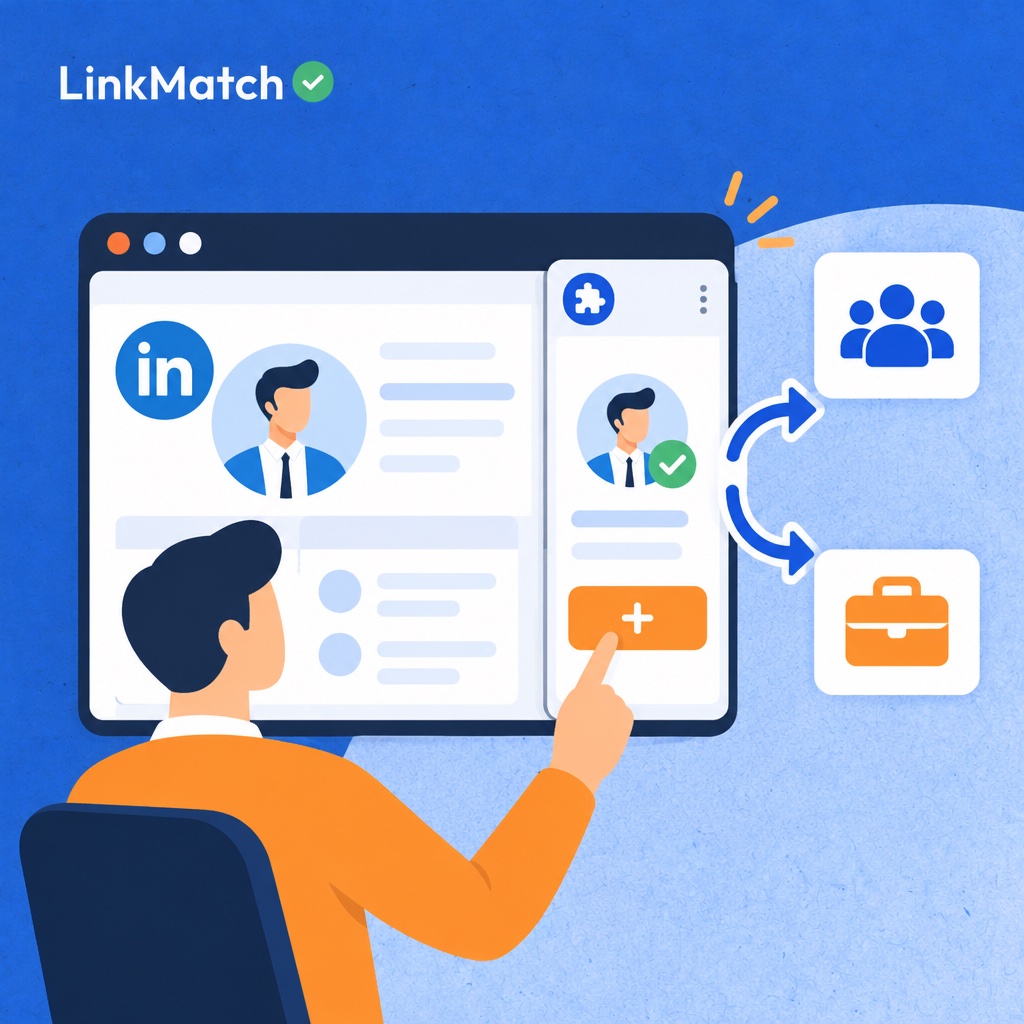
LinkMatch cuts the time spent on data entry by checking a LinkedIn or XING profile against your CRM or ATS as soon as the page loads. That eliminates unnecessary lookups and saves your team from creating duplicate profiles. A small indicator appears next to the page, showing whether the contact or company already exists in your database. No more opening separate tabs, running manual checks, or switching between browsers. The extension works within your own browser session and acts only on your clicks, with no automated scraping bots (view the official product page for more details).
- Turn on the extension and navigate to a LinkedIn or XING profile.
- The indicator will signal whether the person or company already has a record in your CRM or ATS.
- If they’re a new contact, adding them is as easy as clicking “Add.” Fields are mapped to your CRM or ATS, so the setup is done once and every new record is populated consistently.
- If the profile matches an existing contact, you can view and edit their notes, deals, activities, and custom fields from the profile page.
Working with existing records
Once a match is confirmed, you can view and edit the record's notes, deals, activities, and custom fields without leaving the page. One click updates the CRM record, so your data stays organized and up to date.
Effortless contact creation
When no match is found, one simple click creates the contact or company profile. The fields are mapped to your CRM or ATS, so consistency is built in. The Close integration page shows how this works with supported CRMs.
Core LinkMatch features at a glance
Each feature in a LinkedIn and XING sync extension eliminates a manual burden, such as checking the CRM for duplicates, retyping contact fields, updating stale job titles, logging conversations, tagging prospects, or exporting lists. By organizing these capabilities by the tasks they replace, it's easier to determine which ones your team will rely on daily, since a feature only deserves a spot if it streamlines a step someone performs repeatedly, dozens of times a week, across multiple browser tabs. The list below outlines the typical workflow, from opening a profile to saving data, drawing from the product's own feature overview and a walkthrough of the Pipedrive integration, so every entry highlights one specific administrative task instead of promising generic efficiency gains.
- Duplicate check: instantly reveals whether the profile already exists in your CRM, saving time on manual searches or creating duplicate records.
- One-click add creates a new contact with matched fields, and automatic add eliminates that click for consistent profiles you always log.
- Notes, deals, activities, tasks, and custom fields can be edited directly from the LinkedIn page, without needing to open the CRM in a separate tab.
- Auto-sync: keeps your CRM record updated when details like job title or company changes occur, replacing the need for periodic manual cleanups.
- Saving LinkedIn conversations to the CRM record keeps chat history tied to the contact file, rather than sitting in one person's inbox. This is exclusive to the Professional plan.
- Tagging profiles and companies allows real-time segmentation while you browse, without depending on a separate spreadsheet.
- CSV/Excel export: provides a usable file for teams without a CRM to work from.
Supported CRM and ATS integrations
The browser extension integrates with seven sales CRMs (HubSpot, Pipedrive, Copper, Zoho CRM, Bigin, Close and Insightly) and four recruiting ATS platforms (Zoho Recruit, CATS, PCRecruiter and Greenhouse); Salesforce is scheduled to join the lineup soon. Sales and business development teams can utilize it alongside the CRM they already rely on, ensuring profile details from LinkedIn or XING are accurately imported into existing records, replacing the need for clunky workarounds like spreadsheets or screenshots. Recruiter teams get the same streamlined workflow within their preferred ATS, whether running on CATS or PCRecruiter, managing through Greenhouse, or using Zoho Recruit, without forcing them to adopt new tools. You can view documentation for several of these integrations on the Zoho Marketplace page for Zoho CRM, the Close integration page and the Chrome Web Store listing for Zoho Recruit to confirm setup details before rolling it out to your team.
| Platform | Type | Typical user | Status |
|---|---|---|---|
| HubSpot | CRM | Sales / BD teams | Available |
| Pipedrive | CRM | Sales teams | Available |
| Copper | CRM | Sales teams | Available |
| Zoho CRM | CRM | Sales teams | Available |
| Bigin | CRM | Small sales teams | Available |
| Close | CRM | Inside sales | Available |
| Insightly | CRM | Sales / BD teams | Available |
| Zoho Recruit | ATS | Recruiters | Available |
| CATS | ATS | Recruitment agencies | Available |
| PCRecruiter | ATS | Recruitment agencies | Available |
| Greenhouse | ATS | In-house talent acquisition | Available |
| Salesforce | CRM | Sales teams | Coming soon |
The "Typical user" column is a guide, not a restriction. Any team on a listed platform can use the tool.
Check the Status column before you commit: Plan around the platforms marked Available, as Salesforce is not yet supported.
AI Insights and email enrichment
AI Insights is a profile-research feature that summarizes a LinkedIn or XING profile, identifies the person's role, and suggests outreach angles, so sales teams and recruiters prepare faster while keeping the final judgment themselves. Pre-outreach research is usually the real bottleneck: opening a profile, reading the headline, guessing seniority, and drafting a hook takes several minutes per person, multiplied across dozens of prospects or candidates every week, which is exactly the repetitive manual preparation work that slows outreach before a single message goes out. In practice, tools like LinkMatch run this research directly on the LinkedIn or XING profile, so the results and role detection appear within seconds, right where the work already happens instead of in a separate tab, and every summary, role flag, and talking point remains a draft that you review, adjust, or discard.
Role detection for decision-makers and top talent
AI Insights analyzes titles, experience, and seniority to flag likely decision-makers for sales and strong matches for recruiting. It provides a signal for your review.
You know your ideal customer or open role better than any model does, so the final call stays with you.
Outreach suggestions and custom prompts
AI Insights suggests outreach angles, such as icebreakers and communication tips, that work as a starting point for your message.
Custom prompts let you shape the output around your ideal customer, a specific job opening, or your own tone.
The result sounds like your team rather than a template.
Email enrichment and plan-based limits
Email enrichment looks up an address for the profile you have open and writes it into the matching CRM or ATS field. Treat it as a time saver, as not every profile yields an address.
Limits depend on the plan. Standard includes 300 email enrichments, while Professional includes 1,100 enrichments and 1,100 bulk exports, and AI Insights is part of Professional.
LinkMatch pricing, free trial, and plans
The 14-day free trial on most plans needs no credit card, and the Standard plan then costs €21.99 per user per month on monthly billing (€15.99 on annual billing), so any team can test the full CRM service before paying anything at all. Because billing is per user, the cost scales with the number of people who actually open profiles, which means a solo recruiter and a ten-person sales team can each work out their monthly spend with simple multiplication before they sign up, and nobody has to put a card on file just to find out whether the extension fits their daily routine. Pricing and trial terms can change, so confirm the current figures on the official site, or on the Zoho Marketplace listing if you work in Zoho CRM, before committing a whole team of recruiters or sellers to a plan.
| Option | What's included | Price / terms |
|---|---|---|
| Free trial | Full access to test the integration | 14 days on most plans, no credit card required |
| Standard plan | Core CRM integration features for most CRMs | €21.99 monthly, €19.99 quarterly, or €15.99 annual, per user per month (varies by CRM or ATS) |
| Teams with 20+ paid seats | Free 45-minute onboarding call | Included with qualifying accounts |
| No-CRM option | CSV/Excel export of profiles | 20 free export credits for new users, then €10 per 100 profiles, €75 per 1,000, or €329 per 5,000 |
| Enterprise / custom | Custom solution development | Book a demo for a quote |
Larger teams get extra help. Accounts with 20 or more paid seats qualify for a free 45-minute onboarding call, which is useful when many people must adopt the same field mapping at once.
Not every buyer runs a CRM. If you only need profile data in a spreadsheet, the CSV/Excel export route covers that. New users get 20 free export credits, and more are sold as credits: €10 for 100 profiles, €75 for 1,000, and €329 for 5,000. Purchased credits never expire. Anything beyond the standard setup, such as a bespoke CRM, goes through a demo and a quote.
How to set up LinkMatch in under a minute
Setting up a LinkedIn and XING CRM sync extension takes six steps: install it from the Chrome Web Store, connect your CRM or ATS, check field mapping, test match detection, add a first contact, and invite teammates. Most of the time goes to the first connection and the field mapping review, because those choices decide how every later record looks in your CRM or ATS, whether a recruiter is logging candidates or a salesperson is logging contacts and companies for the whole team. The extension runs inside your own browser session on Chrome, Edge, or Opera, only acts when you click, and uses no bots, so a first test on a single open profile is safe, quick, and easy to repeat.
- Install the extension. Add it from the LinkMatch install page, then pin it so the toolbar icon stays visible.
- Choose your CRM or ATS and authorize the connection when prompted.
- Review the default field mapping and add any custom fields your team relies on. You set this up once, and every new record is then populated the same way.
- Test match detection. Open a LinkedIn or XING profile and read the indicator, which shows whether the contact already exists in your CRM or ATS.
- Add your first contact with one click, then open the record in your CRM and confirm that every field landed where you expected.
- Roll out to the team. Invite teammates and agree on tagging and note conventions before anyone starts adding records at volume.
Fitting LinkMatch into sales and recruiting workflows
LinkMatch fits sales and recruiting workflows best when the whole team shares conventions: one routine for checking duplicates, one tagging scheme, and one rule for when conversations get saved to the CRM. The extension handles the mechanics, so conventions only cover judgment calls. Without them, one rep tags every prospect while another tags none. The shared database then reflects habits, not facts. Auto-sync keeps profile changes flowing into the CRM, and saved LinkedIn conversations keep message history out of one person's inbox. Saving conversations requires the Professional plan, so decide who holds those seats first. Agree on what gets logged, who tags, and when. Short rules beat long handbooks. The Pipedrive guide to the CRM lists practical ways to use it day to day.
Sales prospecting routine: check, add, log
Open the profile and read the indicator first. If the contact exists, edit the record from the profile instead of creating a second one.
If there is no match, add the contact in one click and let the mapped fields fill in. Then log notes, deals, or tasks before you leave the page. The Close integration page shows the same pattern in another CRM.
Recruiting: sourcing candidates into your ATS
Run the same check on every candidate profile, so nobody is contacted twice by different colleagues. Add new candidates straight into the ATS and note the role they were sourced for.
Indigo Tech Recruiters reports that entering a candidate into Zoho Recruit dropped from 5–7 minutes to 1–2 minutes.
Agencies: keeping multi-client databases clean
Agencies juggle several searches at once, so duplicates multiply fast. Make the duplicate check non-negotiable before any add.
Use tags to separate clients or mandates, and keep one naming format for everyone.
Team habits: tags, notes, and saved conversations
- Tag profiles and companies while you browse, using a list the team has agreed on.
- Write notes in the CRM record, not in personal files.
- Saved conversations: save the thread once a prospect or candidate replies, so colleagues see the history.
- Let auto-sync update job titles and companies, rather than scheduling manual cleanups.
- Review tags monthly and merge near-duplicates.
Limitations to check before you install
Before rolling a CRM sync extension out to a team, check five things: browser support, CRM availability, monthly enrichment limits, data privacy rules, and whether the tool improves admin efficiency or is expected to generate leads. None of these is a dealbreaker for most sales and recruiting teams. Each one can still cause friction if you find it after rollout instead of before. A ten-minute check with whoever owns your CRM, IT setup, and compliance review usually settles all five. Run that check against your real workflow, not a demo scenario. Ask which browsers people actually use and which CRM or ATS holds the master record. Ask how many enrichments a typical recruiter or seller uses in a month. Then confirm who signs off on storing professional profile data. The list below covers what to verify and why each point matters.
- Browser dependency: the tool runs inside your browser session. Chrome, Edge, and Opera are supported, so teammates on other browsers need to switch to one of those.
- Salesforce is listed as coming soon on the vendor's site. If Salesforce is your system of record, you can't use it there today.
- Enrichment limits: email enrichment volume depends on the plan. Standard includes 300 per month and Pro includes 1,100, so estimate your team's real usage first.
- Not every profile will return an email address, so treat enrichment as a helpful extra rather than a guaranteed result.
- Review your data privacy policy before storing professional profile data in your CRM or ATS. Data is hosted in the EU, but your internal compliance team still decides what you may keep and for how long.
- The tool removes admin work, but your sourcing and outreach strategy still needs to generate demand, find strangers to contact, and fill your pipeline.
Independent comparisons, such as this alternatives roundup, can help you judge whether these trade-offs fit your team.
LinkMatch vs. alternatives: how to compare
Compare LinkedIn-to-CRM tools on CRM and ATS coverage first, then on XING support, in-profile editing, sync, enrichment and pricing model, because coverage decides whether a tool fits your stack at all. Some alternatives focus on a single CRM, such as HubSpot, which can work well if your stack never changes, but a team that adds an ATS, moves to Salesforce or recruits in the DACH region will outgrow a single-CRM tool quickly and pay for a second product to cover the gap. Use the table below as a checklist, ask every vendor for a written answer on each row, and verify the claims against independent sources such as Close's FAQ page and third-party roundups like ConnectSafely before signing up.
| Evaluation criterion | Why it matters | What to look for |
|---|---|---|
| CRM/ATS coverage | Avoids switching tools if your stack changes | 7 CRMs + 4 ATS, Salesforce coming soon |
| XING support | Important for DACH-region prospecting | LinkedIn and XING supported |
| In-profile record editing | Reduces tab switching | Notes, deals, activities, custom fields |
| Ongoing sync | Prevents stale records | Auto-sync on profile changes |
| Email enrichment | Saves a separate tool | Included, limits vary by plan |
| Pricing model | Predictable team costs | Per user per month, 14-day trial |
The right-hand column is a benchmark, not a verdict. A tool that matches it on every row is rare, so decide which two rows are non-negotiable for your team and treat the rest as tie-breakers.
Is LinkMatch right for your team?
A LinkedIn and XING sync extension suits sales and recruiting teams that prospect or source on those networks every day, work in a supported CRM or ATS, and want to stop copying profile data by hand. The fit is strongest where profile data moves between browser tabs and records all day, because every manual copy introduces typos, missed duplicates and stale job titles that later undermine personalized outreach, reporting and handovers between colleagues, and the damage grows as the team and database keep expanding. Social proof points the same way: the extension shows more than 12,000 users and a 4.7 rating on the Chrome Web Store, which suggests daily use by sales and recruiting teams with the same routine, although your own CRM, browser and data needs still deserve a quick, careful check before rollout.
Tick the statements that describe your team:
- Daily prospecting: your team prospects or sources candidates on LinkedIn or XING every working day.
- You use one of the supported CRMs or ATS platforms.
- Duplicate or outdated records are a recurring problem in your database.
- Manual copying: reps or recruiters paste profile data into records by hand.
- You want a self-serve trial before committing budget.
If most boxes are ticked, start with the free trial and test it on a real week of profiles. If only one or two apply, the manual process probably costs too little to change.
FAQs about linkmatch
What is LinkMatch?
LinkMatch is a Chrome extension that syncs LinkedIn and XING profiles directly to your CRM or ATS. While you browse a profile, you can save the contact or candidate to your system in a few clicks. This removes manual copy-and-paste and keeps your records accurate and up to date.
Which CRMs does LinkMatch integrate with?
LinkMatch integrates with HubSpot, Pipedrive, Zoho, Close, Copper, Bigin and Insightly. A Salesforce integration is coming soon. Check the LinkMatch website for the latest list of supported systems.
How much does LinkMatch cost?
The Standard plan costs €21.99 per user per month on monthly billing, and €15.99 per user per month on annual billing. The price varies by CRM or ATS. You can test LinkMatch with a 14-day free trial before you commit. This lets you check how it fits your sales or recruiting workflow first.
Does LinkMatch work with an ATS for recruiters?
Yes. LinkMatch works with several applicant tracking systems, including Zoho Recruit, Greenhouse, CATS and PCRecruiter. Recruiters can add candidates from LinkedIn and XING to their ATS without re-entering data by hand.
Can I use LinkMatch without a CRM?
Yes. If you don't use a CRM or ATS, you can export profile data as a CSV or Excel file. You can then import it into another tool or keep it for your own lists and reporting.
Does LinkMatch find email addresses?
Yes. LinkMatch includes built-in email enrichment, so you can look up contact email addresses while you save profiles. The number of enrichments you can use depends on your plan, so check your plan's limits to see what fits your volume.
Does LinkMatch support XING?
Yes. LinkMatch supports both LinkedIn and XING profiles. This is useful if you recruit or sell in the DACH region, where many professionals are active on XING.
Common mistakes teams make when rolling out LinkMatch
- Skipping field mapping: If you leave default mappings untouched, data such as job titles or custom fields can land in the wrong CRM fields, which undoes the cleanup benefit.
- No shared tagging or note conventions: When every rep tags and logs notes differently, the CRM stays hard to search even though records are no longer duplicated.
- Expecting it to generate leads: LinkMatch removes admin work and keeps data clean. You still need prospecting and outreach to build pipeline.
- Ignoring enrichment limits: Email enrichment volume depends on the plan, so heavy users should check their limits before scaling up outreach.
- Not checking data privacy policies: Before syncing profiles at scale, confirm that storing professional profile data in your CRM fits your internal compliance rules.
Sources
Stop copy-pasting LinkedIn profiles into your CRM
Check whether a profile is already in your CRM, add new contacts in one click, and keep records synced, all without leaving LinkedIn. Setup takes about 20 seconds and you don't need a credit card.
Start your 14-day free trial