

Key Takeaways
- Only 25% of talent acquisition leaders rate their technology as very effective for high-volume hiring, so adoption alone doesn't guarantee results.
- Separate surveys both put sourcing tool dissatisfaction at 46%, showing that roughly half of teams feel underserved by current tools.
- Database size varies widely between vendors, with figures like 800 million and 700 million+ profiles cited, so coverage claims need independent verification.
- Some vendors report large sourcing-time reductions, but these figures come from individual case studies, not industry-wide averages, so treat them as directional, not guaranteed.
What candidate sourcing tools actually do
Sourcing tools find, rank, and organize candidates. They pull profiles from job boards, resume databases, and professional networks, then apply filters based on skills, experience, and location to narrow a large pool into a shortlist. Most platforms also score or rank matches so recruiters can prioritize outreach instead of scanning every result manually. Beyond discovery, these tools typically manage outreach sequencing, track candidate responses, and feed data into an applicant tracking system so nothing gets lost between first contact and interview scheduling.
The category spans a wide range of sophistication. Some tools are little more than searchable databases with boolean filters.
Others layer in AI matching, automated messaging, and predictive scoring meant to surface candidates a human recruiter might overlook.
What ties them together is the core promise: reduce the manual grind of sifting through hundreds of resumes and turn sourcing into a repeatable, trackable process. Where tools differ most is in candidate experience. A poorly tuned sourcing workflow can flood people with irrelevant outreach, damaging how candidates feel about a company before they even apply.
That experience gap matters more than it might seem. Metaview reported a candidate net promoter score improvement from -45 to +1 after refining its AI-driven hiring process (Metaview, 2026). That swing shows sourcing and screening quality directly shapes how candidates perceive a company, not just how many resumes get processed.
Understanding this baseline function matters before comparing specific products. A tool that only searches and ranks is solving a narrower problem than one that also manages relationships and feedback loops. Knowing which job a given platform is actually built for prevents mismatched expectations later. New to the discipline? Start with what candidate sourcing is and how it works.
Why most sourcing tools underdeliver
Satisfaction with sourcing software remains surprisingly low. Only 25% of talent acquisition leaders rate their technology as very effective for high-volume hiring (Aptitude Research). That means three out of four teams are running their pipelines on tools they themselves consider mediocre at best. The gap between vendor marketing and recruiter experience shows up again in separate surveys: 46% of sourcing teams called their current tool somewhat or not at all effective (TestGorilla), and 46% of talent leaders independently described their sourcing tools as ineffective (Onrec).
Two different surveys landing on the same figure is notable, but it still describes dissatisfaction, not a universal failure rate.
Roughly half of teams are getting value from their stack while the other half are stuck with tools that don't match the pace of modern hiring.
Much of the mismatch traces back to what these platforms were built to do. Database search tools excel at storing and filtering profiles, but they leave the actual outreach, follow-up, and prioritization work to the recruiter. When volume spikes, that manual layer becomes the bottleneck, not the database itself.
Vendors often lean on big efficiency claims to paper over this gap. One sourcing platform's seed announcement claimed a 70% cut in time to hire through expanded profiles and suggested next actions (Recruiter Preston), while a separate brief from the same source claimed customers cut average time to hire from 44 days to two weeks (Recruiter Preston). Numbers like these are worth noting, but they come from vendor-side promotion rather than independent research, which is exactly the kind of claim recruiters should weigh against their own day-to-day results before trusting it fully.
Agentic AI platforms vs. traditional database search
Agentic tools act; database tools require you to search. A traditional sourcing database hands a recruiter a search box and expects them to build Boolean strings, apply filters, and manually review results one profile at a time. An agentic AI platform instead reads a job brief, interprets intent, and autonomously returns a ranked candidate list without someone constructing the query.
The structural difference matters more than the marketing language around either category. One approach puts the search logic in the recruiter's head; the other embeds it in the system.
Neither approach eliminates human judgment entirely. Boolean search still rewards recruiters who know how to phrase precise queries for niche or highly technical roles. Agentic sourcing shifts effort toward reviewing and validating an AI-generated shortlist rather than building one from scratch, which changes the skill emphasis without removing the need for recruiter oversight.
| Approach | How it works | Best fit |
|---|---|---|
| Traditional database search | Recruiter builds Boolean strings against a profile database | Teams with strong sourcing skills, niche roles |
| Agentic AI sourcing | Tool interprets a job brief and autonomously surfaces ranked candidates | Lean teams needing speed and scale |
Precision is the practical test that separates strong agentic tools from weak ones, since autonomy only helps if the surfaced candidates are actually relevant. Metaview reported 93.5% sourcing precision on Exa's 1,400-query People Search Benchmark (Metaview benchmark, 2026), a figure that gives recruiters a concrete way to judge whether an agentic system is actually surfacing qualified people rather than just more people.
Choosing between the two approaches depends on team structure as much as technology. A recruiter with deep sourcing expertise and time to spare may still prefer the control a Boolean search gives them. A lean team under volume pressure is more likely to benefit from a system that surfaces candidates automatically, then lets humans focus on review and outreach. Our guide to what AI candidate sourcing actually does covers where automation still falls short.
Sourcing tools built for high-volume and frontline hiring
High-volume hiring needs speed, not deep profile analysis. Retail, hospitality, warehouse, and call-center roles draw hundreds of applicants for a single opening, so the bottleneck is rarely finding candidates, it's screening and scheduling them fast enough before they take another offer. Tools designed for knowledge-worker sourcing often emphasize deep profile enrichment and long-tail boolean search, which solves a different problem than filling forty shifts by Friday.
Frontline hiring tools instead prioritize speed-to-contact, text-based communication, and automated scheduling over exhaustive candidate research.
A sourcing workflow built for hourly roles typically compresses the funnel into a handful of automated steps. Applicants are screened against basic qualifications instantly, routed to self-service interview booking, and nudged by SMS rather than email, since open-to-work hourly candidates respond faster to text.
This differs sharply from the recruiter-led, relationship-based sourcing common in professional hiring, where a single hire can justify days of outreach and vetting.
The trade-off is depth. High-volume tools generally skip detailed work-history verification or personality assessment in favor of throughput, accepting a higher turnover rate in exchange for faster fill times.
That trade makes sense when the cost of an empty shift outweighs the cost of a mediocre hire, but it can backfire for roles requiring more judgment, like supervisory or safety-sensitive positions.
Matching your sourcing method to hiring volume and role complexity determines which approach works best, rather than picking the most advanced software on the market. A team running thousands of applications a month needs automation and conversational AI chatbots over manual review. A team filling a handful of specialized roles needs the opposite: patience, context, and a smaller, better-vetted pool rather than speed alone.
Data accuracy and contact-finding across major databases
Bigger databases don't always mean better matches. Vendors advertise raw profile counts as a proxy for quality, but coverage size says nothing about how current, deduplicated, or verifiable those contact records actually are. Juicebox.ai lists over 800 million global profiles (juicebox.ai), while HireEz cites a database of 700M+ profiles pulled from across 30+ platforms (dishertalent.com). Both numbers sound impressive side by side, yet neither figure tells buyers how often records are refreshed or how many contact points resolve to a working email or phone number.
| Vendor | Claimed profile coverage |
|---|---|
| Juicebox.ai | 800 million+ global profiles |
| HireEz | 700M+ profiles across 30+ platforms |
The gap between the two totals is modest compared to the marketing emphasis each vendor places on scale. A platform pulling from 30+ source platforms, as HireEz describes, may offer broader diversity of record types than one relying on a smaller number of feeds.
Still, breadth across sources does not guarantee that duplicate or stale entries have been filtered out.
- Request a sample export and check email deliverability before committing to a contract.
- Freshness: ask how often profile data refreshes, since stale records inflate the headline total.
- Compare match-rate reporting rather than relying solely on advertised database size.
- Source diversity: more platforms feeding a database can mean richer context, but also more duplicate entries to clean.
- Ask vendors for verified contact-resolution rates, not just total profile counts.
Buyers evaluating sourcing tools should treat profile totals as a starting point for due diligence, not a final answer. Verified match accuracy and contact resolution matter more to day-to-day recruiting outcomes than raw database size alone.
Credit-based vs. per-seat pricing: the true cost of ownership
Pricing structure changes your real cost at scale. Per-seat plans charge a flat fee for every licensed user regardless of how often they source, which makes budgeting simple but can waste money on recruiters who log in only occasionally. Credit-based plans charge per enrichment or contact reveal, so a light user pays almost nothing while a high-volume recruiter burns through credits fast. Neither model is inherently cheaper; the right choice depends on how concentrated your sourcing activity is across the team.
Per-seat pricing scales predictably because every additional hire has a known marginal cost, and finance teams tend to prefer that stability.
But it penalizes occasional sourcers who need the tool for a single hiring push and then sit idle for months, effectively subsidizing unused seats. Credit-based pricing flips that problem: it rewards light, sporadic usage and keeps costs low for small teams, but it punishes bulk outreach campaigns where thousands of contacts need enriching in a short window.
The hidden costs usually sit outside the headline price. Enrichment caps limit how many profiles you can unlock per month even on paid tiers, forcing upgrades mid-cycle. Contact-reveal limits can throttle a campaign right when momentum matters most, and overage fees quietly add up if nobody is tracking credit burn in real time.
- Map your team's actual sourcing frequency before choosing a model, not just headcount.
- Audit trial usage: track how many credits or seats a realistic campaign actually consumes.
- Ask vendors directly what happens after a cap is hit, since some pause access and others bill overage automatically.
- Compare renewal pricing: introductory rates often rise sharply after the first contract term.
Total cost of ownership only becomes clear once usage patterns, caps, and overage policies are weighed together, not from the sticker price alone.
Compliance and bias risks in automated sourcing
Automated sourcing raises real privacy and bias questions. Scraping tools that pull names, emails, and social profiles from public and semi-public sources can violate data protection rules if consent, retention limits, or jurisdiction-specific laws are ignored. Bias risk compounds this: algorithms trained on historical hiring patterns can replicate past skews in gender, ethnicity, or education pedigree. Buyers evaluating sourcing platforms now ask vendors directly how data is collected, stored, and refreshed, not just how fast it finds candidates.
Speed gains are real and well documented
but speed without governance invites legal and reputational exposure. Greenhouse reported a 70% reduction in sourcing time using similar AI automation (Greenhouse), showing the efficiency case is strong. That efficiency means little if the underlying data pipeline can't explain where a contact record came from or whether the candidate consented to be found.
Responsible platforms address this through a few consistent practices.
- Data provenance logs that show where each contact detail originated and when it was last verified.
- Retention controls: automatic deletion or anonymization of records past a defined window.
- Opt-out mechanisms that let candidates remove themselves from a sourcing database on request.
- Bias audits: periodic review of ranking outputs across demographic segments.
- Clear documentation of which public sources feed the matching engine, so recruiters can defend their process if challenged.
Talent teams should treat compliance review as part of vendor selection, not an afterthought bolted on after a breach or complaint. Asking for a data handling policy and a bias testing summary before signing a contract costs little time. It can prevent much larger costs later, both financial and reputational, when automated sourcing touches personal data at scale.
Candidate rediscovery and your own ATS data
Your best next hire may already be in your system. Recruiters often treat every open role as a fresh sourcing project, running new searches and paying for new leads, while thousands of previously screened candidates sit dormant in the applicant tracking system. Those people already passed a phone screen, already expressed interest, and already understand the company brand.
Ignoring them wastes the original sourcing spend and asks candidates to re-apply cold.
Rediscovery is cheaper than new sourcing because the groundwork is already done. A candidate who interviewed eighteen months ago for a similar role may now be a perfect fit, but only if someone remembers to look. Most teams don't, because searching a cluttered ATS by old notes and resume keywords is slow and unreliable.
The gap stems from a lack of visibility at the moment a recruiter finds someone on LinkedIn. Without a quick way to check, recruiters default to treating every profile as new, duplicating outreach and missing internal matches entirely. Teams sourcing mainly on LinkedIn can compare LinkedIn recruiter tools and how to combine them.
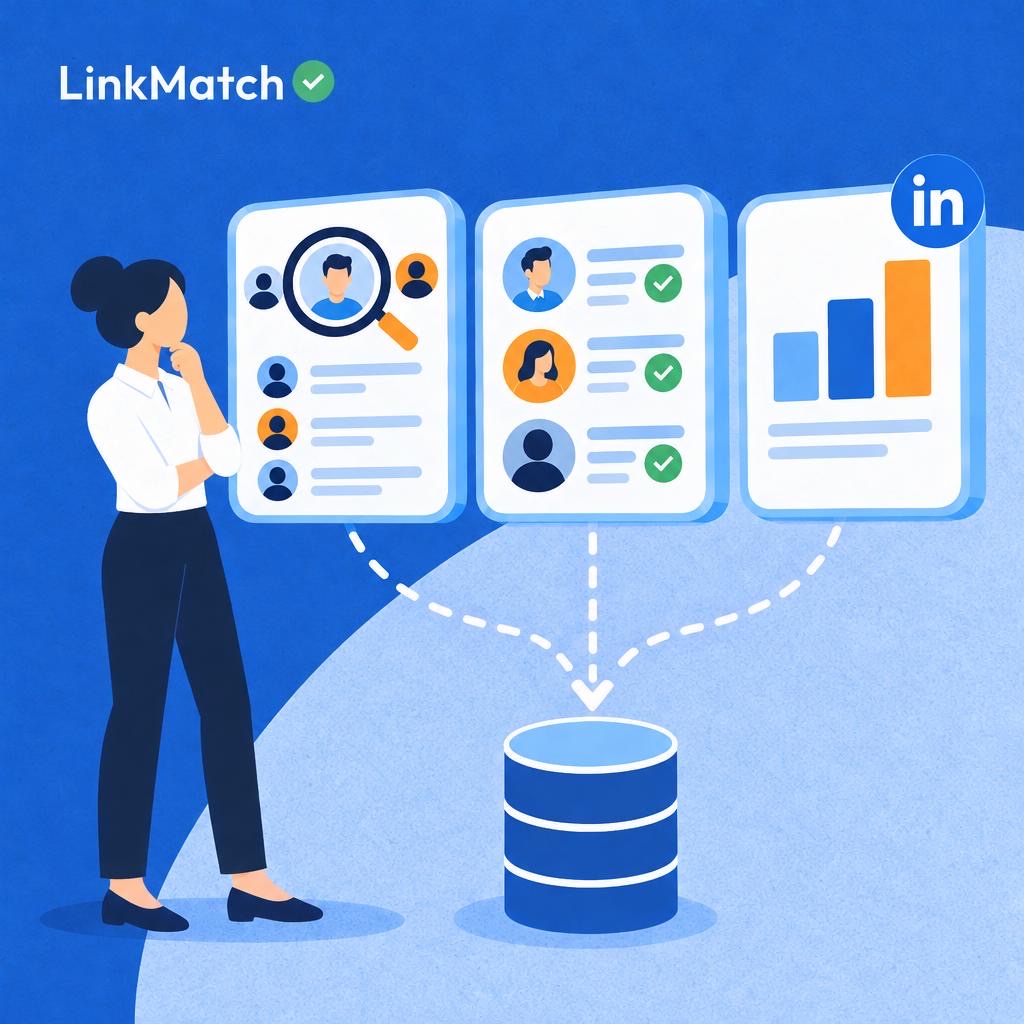
In practice, tools like LinkMatch close that gap by showing a green checkmark or red cross directly against a LinkedIn profile, revealing instantly whether that person already exists in the CRM or ATS. That single signal changes behavior: instead of sourcing blind, recruiters check first.
Rediscovery works best as a habit, not a one-off cleanup project.
Building match-checking into everyday sourcing keeps the existing database useful instead of letting it quietly become dead weight.
Measuring whether a sourcing tool is actually working
Track outcomes, not just activity metrics. A sourcing tool that generates high volumes of contacts, emails or profile views can still fail recruiters if none of that activity turns into hires. The dissatisfaction many recruiters report toward their current tools usually traces back to this gap between activity and outcome. Vanity metrics like total messages sent or candidates added to a pipeline look productive on a dashboard but say nothing about whether the right people are responding or moving forward. The fix is choosing a small set of outcome-based measures and reviewing them on a fixed schedule, rather than reacting to whichever number looks good this week.
- Response rate per outreach sequence, not per message sent, shows whether the messaging and targeting are working together.
- Time from first contact to qualified candidate reveals how much friction the tool adds or removes from the pipeline.
- Percentage of sourced candidates who progress past screening separates good matching from simple volume.
- Recruiter-reported satisfaction with tool-suggested matches captures the qualitative side that pipeline metrics miss entirely.
None of these measures work in isolation.
A high response rate paired with a low screening pass-through rate usually means the tool is attracting attention from the wrong candidates. Recruiters who track only one metric often keep tools that look efficient on paper but quietly frustrate the people using them daily. Pairing a hard metric with a qualitative check-in, even an informal one, tends to surface problems faster than dashboards alone. Reviewing these four measures together, monthly rather than quarterly, gives a clearer signal of whether a sourcing tool is earning its place in the stack or simply adding noise to it.
Keeping sourced candidates synced with your CRM or ATS
Sourcing is wasted if data doesn't sync cleanly. A recruiter can find twenty strong profiles in an afternoon, but if each one has to be copied by hand into a CRM or ATS, the time saved during search gets spent again during data entry. Fields get mistyped, duplicate records pile up, and candidate notes end up scattered across spreadsheets instead of living in one place. The result is a system of record that lags behind reality, showing a candidate as "new" months after they changed roles or updated their profile.
Manual transfer also creates a trust problem inside the team.
If one recruiter's notes live in a browser tab and another's live in the ATS, nobody has a full view of who has already been contacted. Stale data leads to duplicate outreach, which looks unprofessional to candidates and wastes the goodwill built during initial sourcing.
Automated syncing closes that gap by writing candidate data into the system of record at the moment of discovery, not hours or days later. In practice, tools like LinkMatch handle this by adding a sourced LinkedIn or XING contact into the CRM or ATS with one click, and keeping that record aligned as the profile changes. That removes the re-entry step that otherwise erodes the hours saved through faster sourcing.
Teams that treat syncing as part of the sourcing workflow, rather than a separate admin task, tend to keep cleaner pipelines. Fewer duplicate records mean recruiters spend less time reconciling data and more time actually talking to candidates.
How to choose a sourcing tool that fits your team
The right tool depends on volume, not hype. A recruiter filling three roles a quarter needs something very different from a talent team processing hundreds of profiles a week. Before comparing features, map out how many candidates you actually source monthly, how many people need access, and whether sourcing happens in bursts or continuously. Teams that skip this step often end up paying for automation they never use, or hitting limits on a plan that was never built for their scale.
Team size shapes the decision as much as volume does. A solo recruiter can usually work from a lightweight extension and a spreadsheet.
A team of five or more needs shared workspaces, permissions, and a single source of truth so nobody duplicates outreach to the same candidate.
Integration needs matter just as much as the sourcing features themselves. If your ATS or CRM already anchors your workflow, prioritize tools that sync cleanly rather than ones that force manual exports. For ATS-side options, see the best applicant tracking system for sourcing.
- Check how many seats and searches the pricing tier actually includes.
- Data freshness: ask how often contact and company records get refreshed.
- Confirm export formats match what your ATS can ingest without reformatting.
- Compliance posture: verify the vendor documents how contact data is sourced and stored.
- Test the tool on a real open role before committing to an annual contract.
Ultimately, the best sourcing tool is the one your team will actually open every day. Pick for your real hiring rhythm, not the demo.
Common mistakes when evaluating candidate sourcing tools
- Buying for database size alone: A larger profile count doesn't guarantee accurate contact data or relevant matches for your specific roles.
- Ignoring integration and data migration costs: Switching platforms can mean re-mapping fields and losing historical candidate data if integrations aren't planned up front.
- Treating AI outreach drafts as ready to send: AI-generated messages typically need human editing to sound natural and avoid generic phrasing that candidates ignore.
- Skipping compliance review on scraped contact data: Pulling personal emails and phone numbers at scale can create regulatory exposure if consent and data-source rules aren't checked.
- Not measuring tool ROI against existing ATS data: Sourcing new leads without first checking the ATS for existing matches wastes effort and risks duplicate outreach.
FAQs about Candidate Sourcing Tools
What AI tools do recruiters actually use for sourcing candidates?
Recruiters commonly use agentic AI search tools that scan multiple data sources to find and shortlist candidates, profile enrichment tools that fill in missing contact and work-history details, and tools that let recruiters type a natural-language brief describing the role instead of building a Boolean string. These three categories tend to work together in a modern sourcing stack rather than as standalone replacements for each other.
Are chatbots and automation tools effective for candidate engagement?
Results are mixed. Chatbots and automated outreach can be useful for early-stage tasks like scheduling or answering basic questions, but candidates generally prefer human contact once they move further into the process, such as during interviews or offer discussions. Relying on automation too heavily at later stages can work against engagement rather than improve it.
How effective are AI sourcing tools at improving response rates?
Effectiveness varies significantly by vendor and how the tool is implemented. There is no confirmed, industry-wide consistent lift in response rates across tools, so results reported by one provider shouldn't be assumed to apply to another. Teams evaluating a tool should look at outcomes from their own trial period rather than general marketing claims.
How much does a candidate sourcing tool cost?
Pricing models differ across vendors. Some charge per seat (a flat fee per recruiter user), while others use a credit-based system tied to actions like searches or profile unlocks. Many platforms also cap the number of enrichment lookups included in a plan and charge overage fees once that cap is exceeded, so it's worth checking both the base price and how usage limits are structured before committing.
Do sourcing tools replace manual Boolean search?
No, they complement it rather than replace it. Boolean search still has a role, particularly for niche or highly specialized roles where precise keyword control matters. AI-driven sourcing tools can speed up broader searches and surface candidates a Boolean string might miss, but many recruiters continue to use manual search alongside these tools rather than abandoning it entirely.
Sources
Stop losing top candidates to manual data entry
LinkMatch instantly syncs LinkedIn profiles to your ATS in one click, eliminating tedious copy-pasting and keeping your pipeline moving fast.
Install the Chrome Extension